
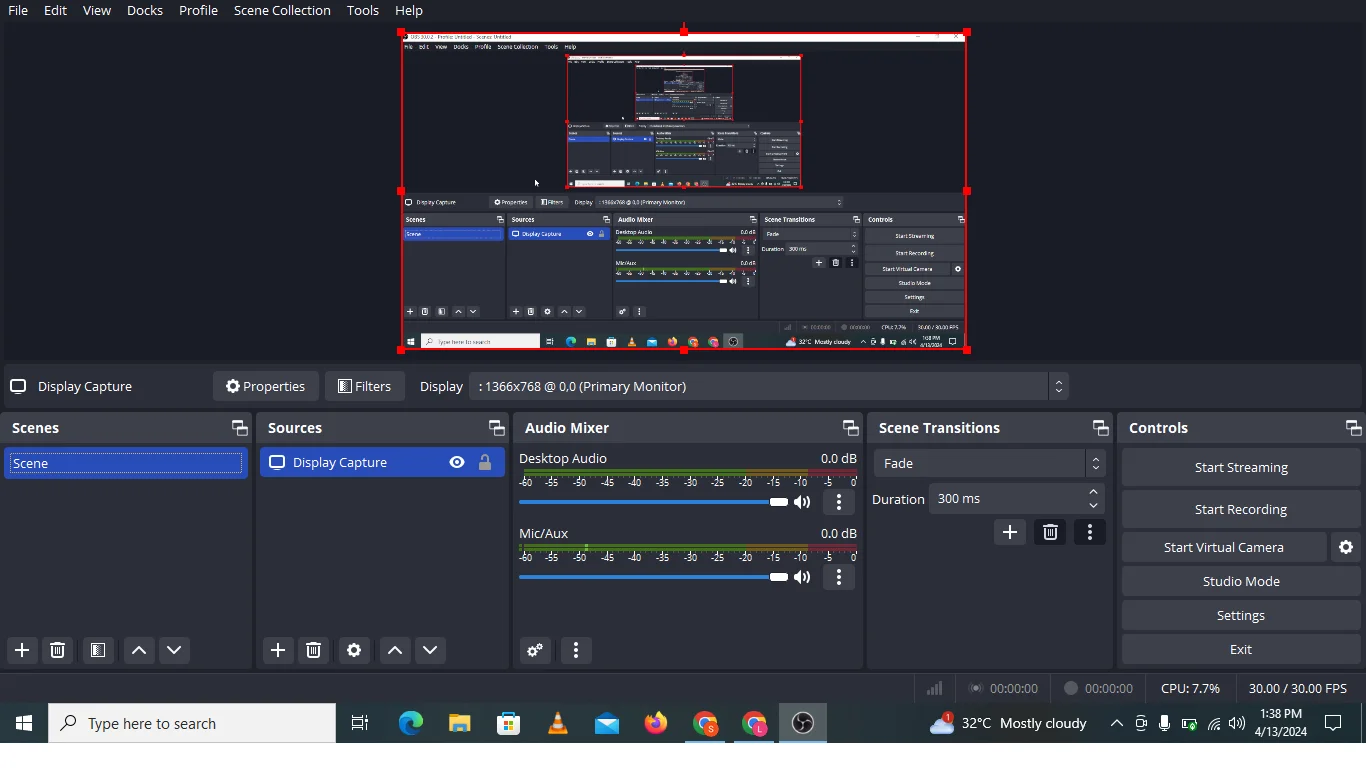
Introduction to OBS Studio
The OBS studio is a software which is used to record videos and performs live streaming with audio voice. This OBS studio software is free and open resource software and mostly used for gaming live streaming for youtubers. These are many screen recording software on the internet but paid. This OBS studio software is free to use and provide high quality video recording and streaming. There are many other free screen recorder software also available on the internet but OBS studio is best because that’s my personal suggestion to use it.
Installing OBS Studio
The installation of OBS studio is very easy and simple because it’s free and open resource and start it instant at anytime. The installation of OBS studio is possible on every operating system like window, mac and Linux. OBS studio is just single click installation and start recording and live streaming.
OBS Studio Interface
The interface of OBS studio is attractive and simple to use. The interface of this screen recorder has many other features like setting of audio, video and quality settings.

Setting Up Your First Scene
First of all you need to setting up of your first scene because without adding your scene you can not record any screen and video. Make sure that add the scene in the OBS studio to get started with this screen recorder.
Adding Sources to Your Scene
The adding your source is the best way to record any source like display capture, color source, game capture etc. Some important features of adding source of your scene are below:
1- Application audio capture ( Beta )
2- Audio input capture
3- Audio output capture
4- Display capture
5- Color capture
6- Game capture
7- Image slide show
8- Image
9- scene
Configuring Audio Settings
The configuration of audio setting is most important for capture of audio input and output. You can easily record your videos without recording audio. You can also record your audio for videos and live streaming without any complex process.

Adjusting Video Settings
We can adjust videos setting in OBS studio which is very easy and we can choice any type of video quality like high and low resolution. And we can manually type video quality resolution and record your content with high and low quality resolution. We can record our content aspect ratio 16:9 for YouTube and write manually ratio for other platforms.

Streaming Settings and Optimization
You can perform live streaming at anytime and record display or game capture anytime because OBS studio is free and open source software. The setting and optimization of live streaming is different from display or game capture. Because live streaming needs audio and game capture which is also easy to do that. Finally OBS studio has simple interface and provide high quality live streaming of gaming and other purposes.
Recording Your Content
You can easily record your content with the help of OBS studio software which is free to use and open source and provide high quality videos recording and display and game capture for all users beginners and also expert both can use it. OBS studio has simple to use and record your high quality content in just single click.
Start Virtual Camera
The important thing in OBS studio is start virtual camera. The virtual camera is very helpful for all users of OBS studio because other software provide limited access but OBS studio is free and open source and you can enjoy this software free and can built quality content with streaming.
Conclusion
You can use this screen recorder for both live streaming and video and audio capture. You can also use other screen recording software for performing your live streaming and display recording actions.